

Discover our latest updates
This release includes batch editing and an updated analytics experience, offering faster insights and smarter filtering. There is also a series of updates across our Android, iOS, Mac and Windows apps to deliver a smoother, more consistent experience.
Kortext acquire
Batch edit
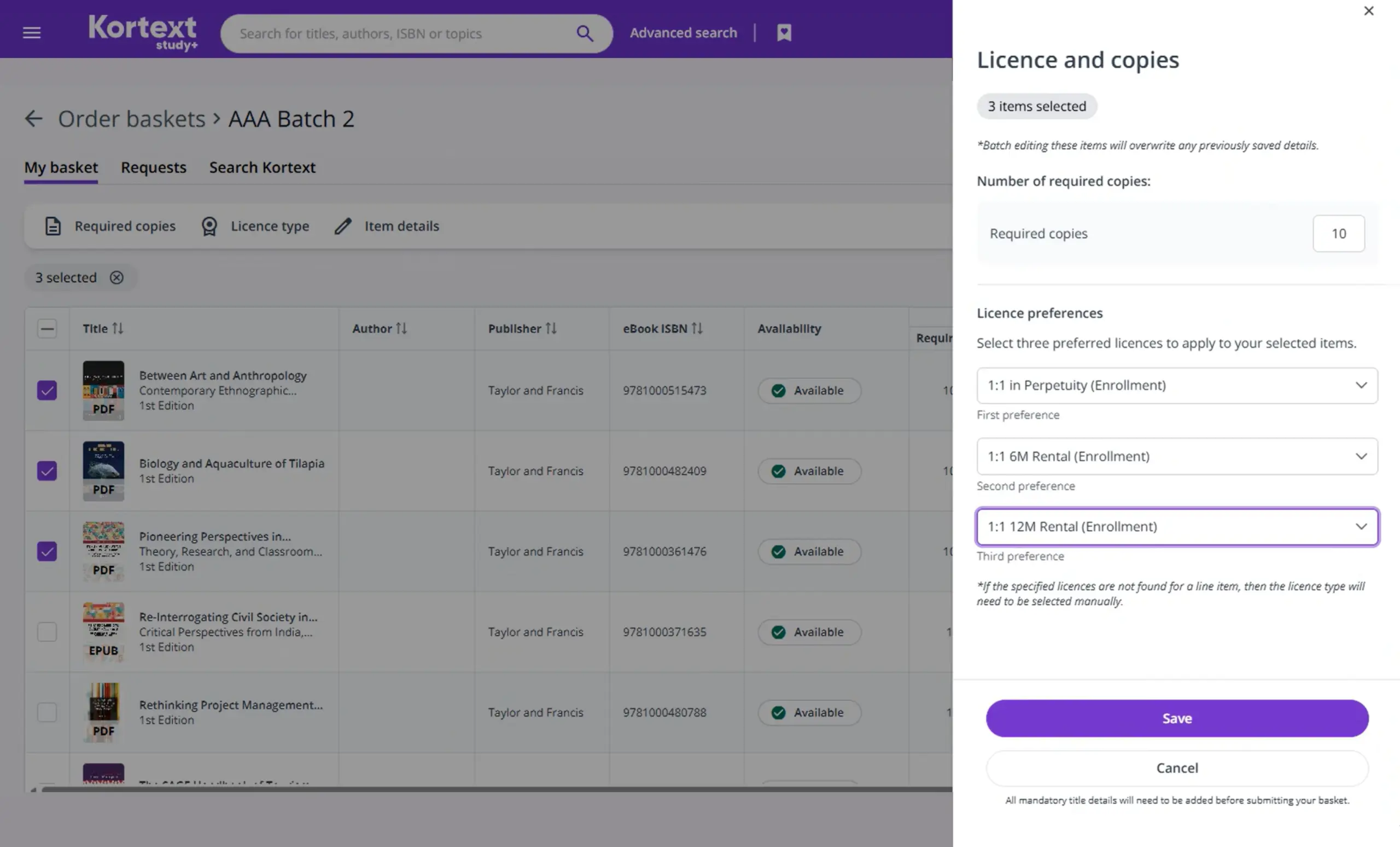
Batch edit makes it faster and easier for customers to update multiple items in an order basket at once.
- Prepare orders more quickly: Customers can update multiple items in one action – adjusting details, moving or copying titles between baskets and downloading selected‑item data, eliminating repetitive, title‑by‑title work.
- Maintain consistency across multiple titles: Bulk updates ensure copies, licences and item details stay aligned across all selected items.
- Reduce manual effort during acquisition workflows: Multi‑item editing streamlines ordering tasks and cuts out unnecessary manual work.
Kortext acquire and teach
Analytics
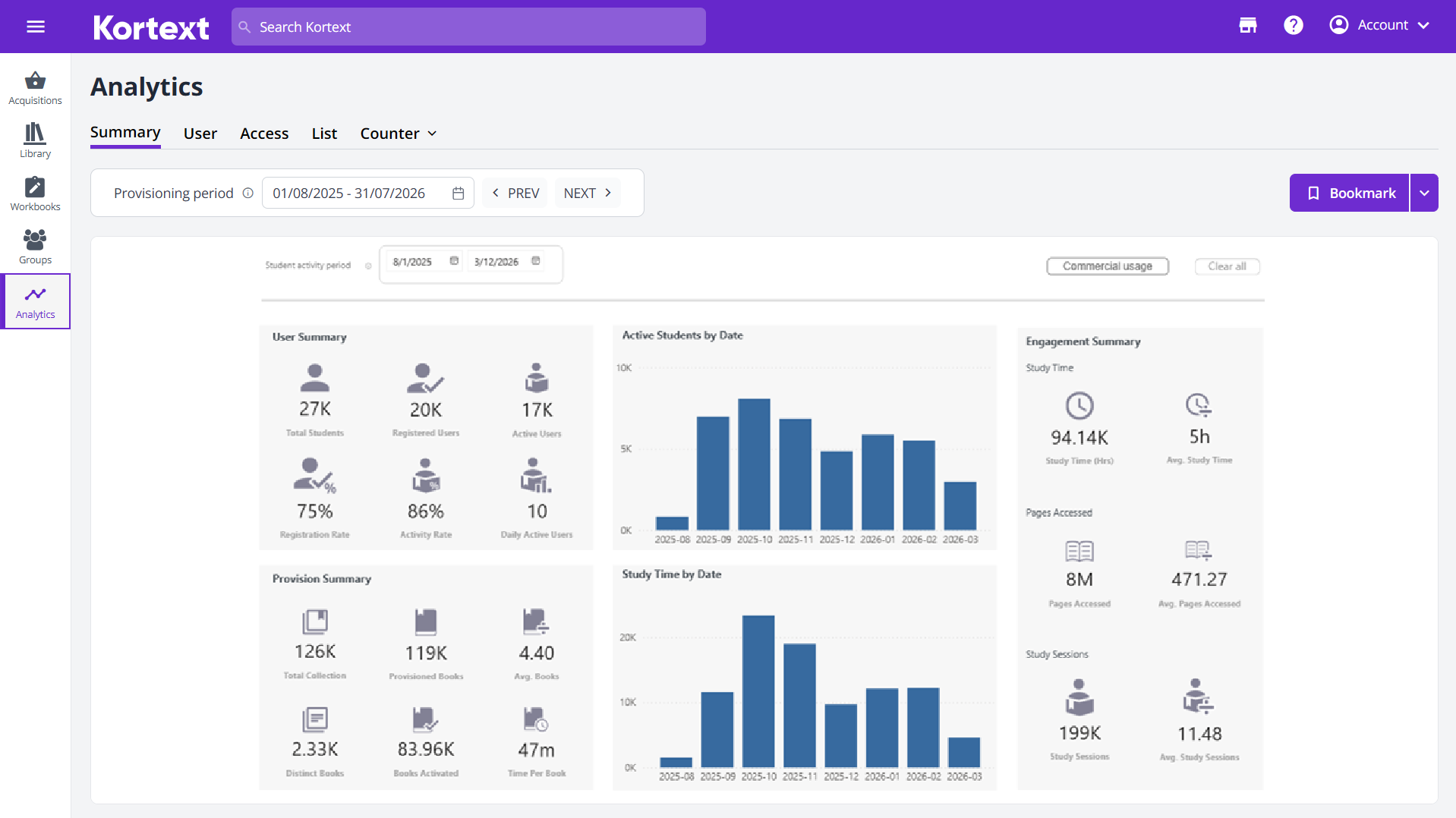
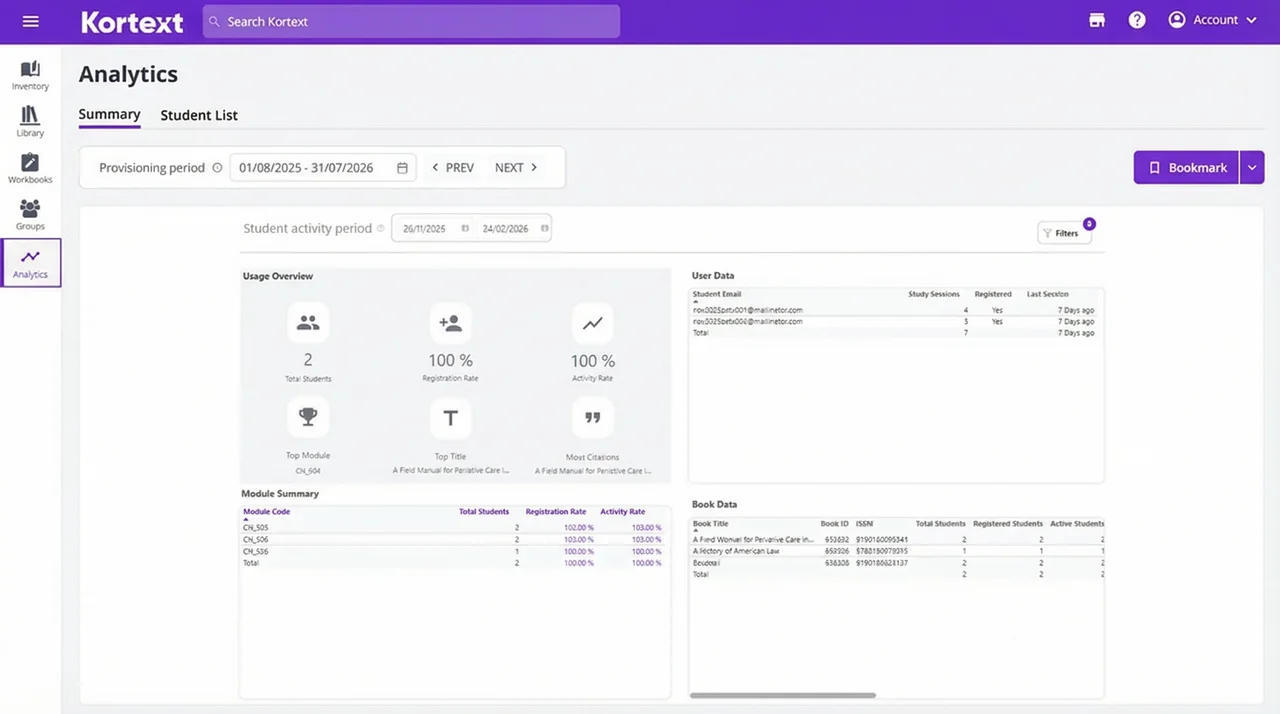
We’ve introduced updates to how analytics works, bringing a more intuitive, streamlined and accessible experience across both apps.
These updates apply consistently to both platforms, ensuring a unified analytics experience:
Updated acquire analytics
Updated teach analytics
- Streamlined Access to Analytics: A new, dedicated Analytics section has been added to the main navigation—making insights easier and faster to reach.
- Unified Reporting Workflow: Reports and their associated analytics are now consolidated into a single, integrated analytics space, eliminating new browser tabs and creating a smoother, clutterfree workflow.
- Smarter, Cascading Filters: Filters now automatically adjust based on user selections, ensuring only relevant and available options appear. This makes filtering faster, clearer and far more intuitive.
App updates
In this release we also made substantial changes and improvements to our various platforms, including to our Android, iOS, Mac and Windows apps.
Android app updates
- The app now alerts you when a newer version is available to download.
- PDFs now support vertical scrolling for easier page navigation.
- Double‑tap to instantly reset PDF zoom.
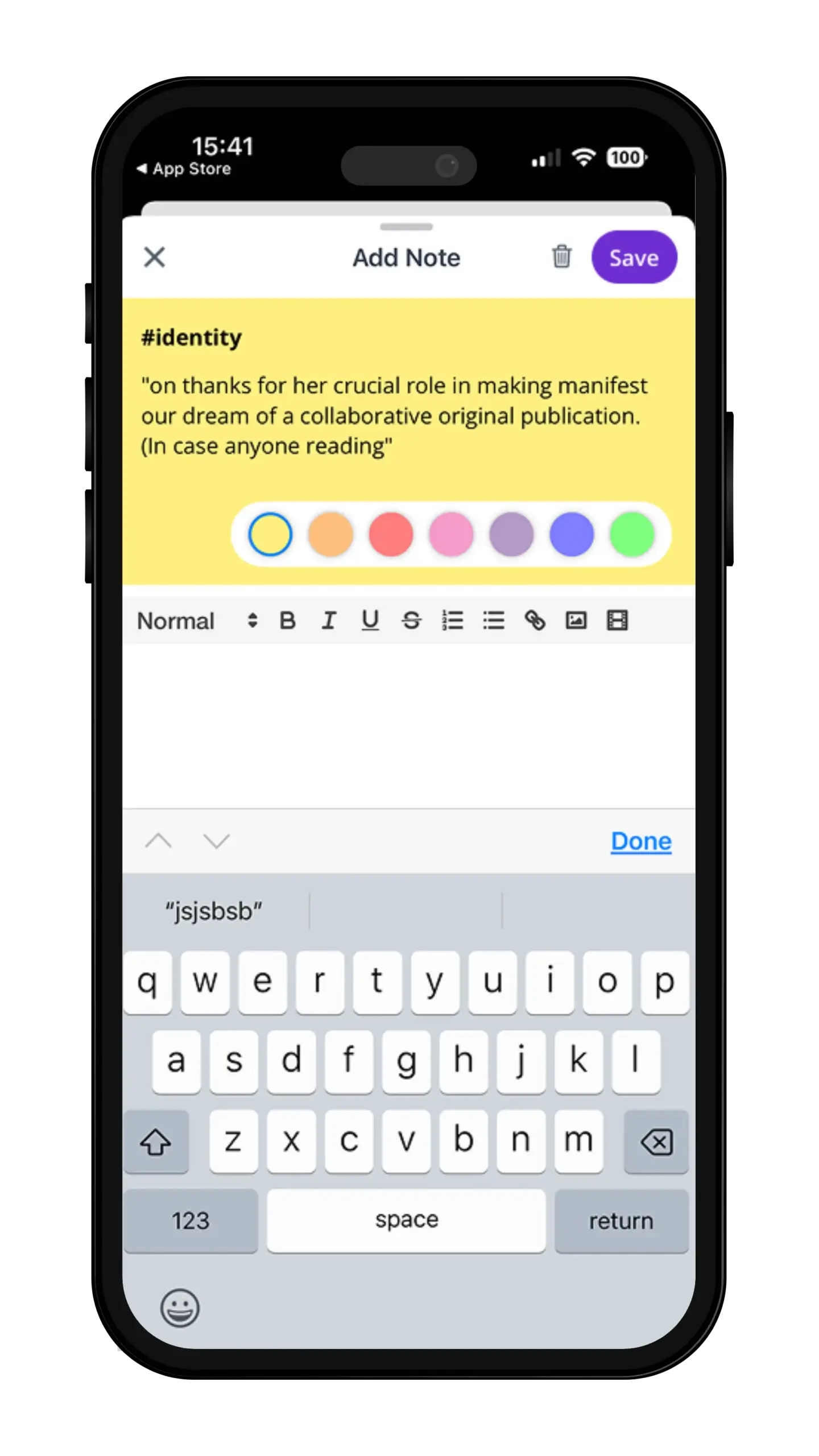
- The note save button now clearly shows when there are unsaved changes.
- The Book menu and My Files menu have been redesigned using a bottom‑drawer layout.
Apple app updates
iOS + Mac
- The apps now support Apple’s new Liquid Glass UI for Mac/iOS 26+ devices for a smoother experience.
- The note save button now clearly shows when there are unsaved changes (purple) and when everything is saved (grey).
- The download error message is clearer and easier to understand: “Unable to Download – We couldn’t complete the download. Please check your connection and try again.”
iOS‑only
- The search bar now hides automatically while scrolling through your Library and Collections.
Mac‑only
- ePUBs now default to Online Search for more accurate and relevant results.
- A new prompt now appears when switching between Read Aloud modes to clarify the change
As part of a continuous effort to refine and improve our products, we’ve also delivered several updates to make the user experience more reliable, more consistent and more accessible.
Why not read about another recent platform update? Learn about our new advanced search feature.