

Stay organised
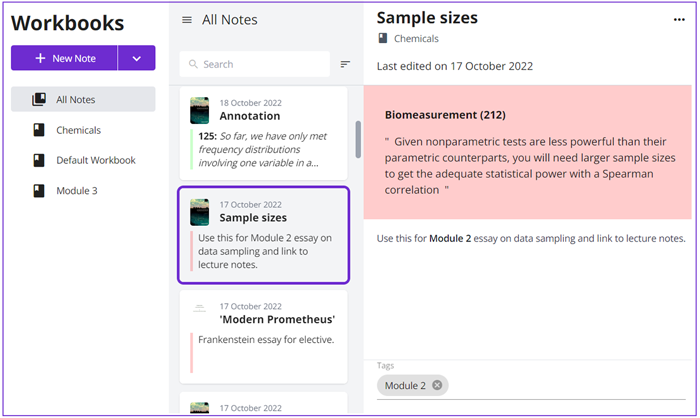
With Workbooks at their fingertips, students using the Kortext Arcturus platform to read and study can easily collate their digital annotations into categories and even sub-folders such as modules, topics or Workbooks containing research for individual essays.
Plan effectively
Using the Workbooks feature, students can even make and organise new notes into their Workbooks, helping them to plan assignments effectively and reflect back, providing an invaluable revision tool when it comes to exam season.
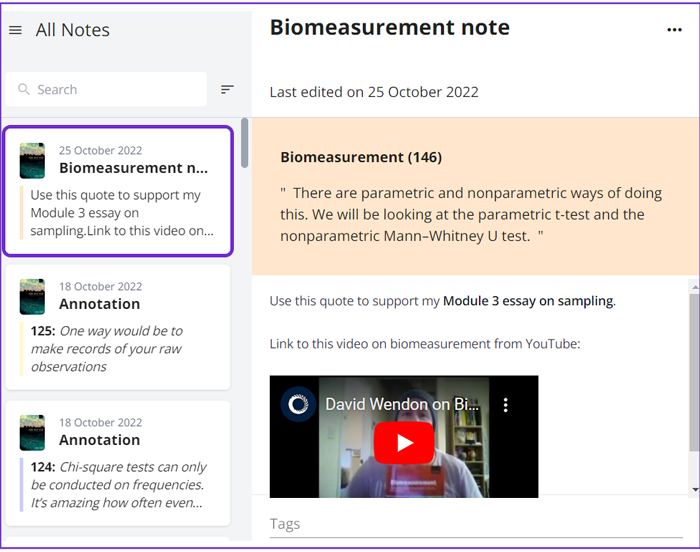
In another new addition to the Kortext Arcturus platform, our notes feature now contains a rich text editor, including the ability to use bold, underline, and italics as well as include links to web pages, images and videos to make more comprehensive, richer and joined up study notes.
Get collaborative
Want to foster a sense of community and inspire collaborative working? Sharing Workbooks or individual notes with other Kortext Arcturus users is easy through our handy ‘Groups’ tool.
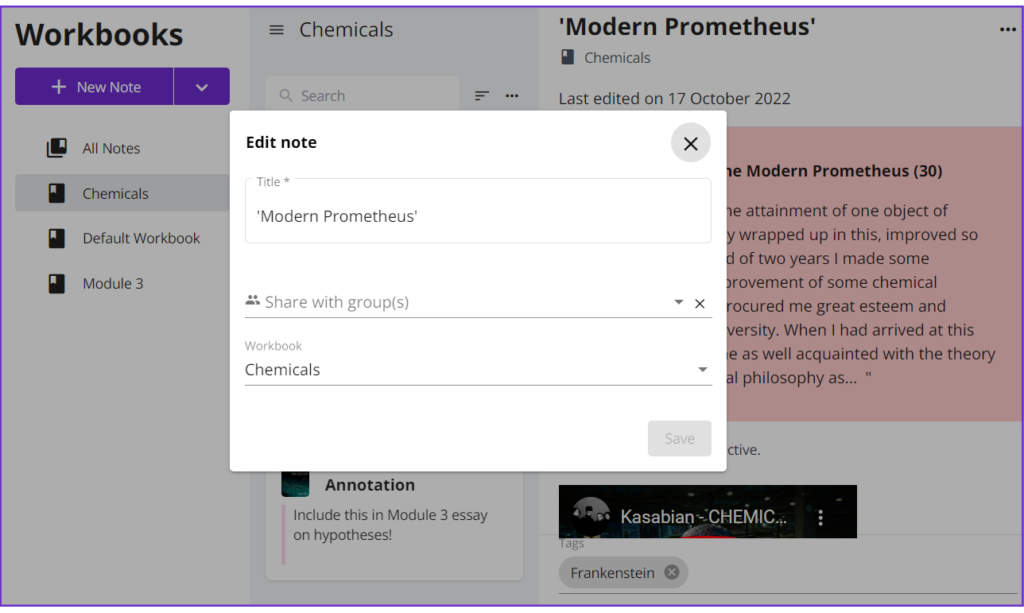
Remember – students and academics can set up and join Kortext study groups where they can share ideas, provide feedback and collaborate on joint projects – all centered around their eTextbooks.
Switch on Workbooks
Workbooks are a premium feature that can be requested as an add-on to the Kortext Arcturus platform. If you’re an existing Kortext partner and would like your students to benefit from this new feature, please contact your Account Manager directly today.
If you’re not yet a Kortext partner but would like to explore how the Kortext Arcturus platform can help your institution embrace digitally enhanced teaching and learning, please do not hesitate to get in touch.
Workbooks was launched as part of Kortext’s semester one (2022) product update, which included a whole host of exciting platform features and enhancements to improve the user experience for students, librarians and academics. Check out what’s new by visiting our dedicated Kortext Arcturus product site.